BACKROUND
Splunk Inc.
Modernizing the UI of a Legacy Enterprise Product
How exciting could it be to refresh the entire product’s design? However, when it comes to modernizing a large-scale enterprise platform, the excitement transforms into a long, complex and deeply collaborative journey.
For over a decade, Splunk has relied on a Backbone.js-based framework to build and scale its products. The UI framework in nowadays has become a major source of technical debt, slowing down product development, limiting scalability, and creating barriers to feature delivery and long-term maintainability.
I worked closely with the engineer team to modernize legacy pages to ensure we can deliver a cohesive and premium user experience across product line and meet meets today’s design and usability standards.
Year
2025
Platform
Web Application
Role
Product Designer
Credit
Engineer
Angelika Chwastek
Mykola Korzun
Aleksei Gordienko
Design
Yiyun Zhu
Tatsuya Hama
Adam Ferch
Product Management
Sylwia Karaś
MY PERSONAL VIEW
This is a large, ambiguous, and high-stakes initiative. It was the first time the team attempted modernization at this scale so there were no templates or past references. I had to take initiative, drive the work forward, and learn how to lead in a space where the path wasn’t clearly defined.
THE ISSUES
Problems behind the legacy design
No design file exists
Since the legacy UI was built entirely in code, we didn’t have any existing Figma files to document the previous designs. As part of the modernization effort, I took the initiative to establish a fresh Figma structure — including clear file organization, consistent naming conventions, and documentation for developer handoff.
Code and design are not aligned
Right now, the lack of sync between engineers and designers often leads to misalignment between the product UI and our design system. My goal is to create standards that bring both sides together and keep things consistently aligned in the future.
KEY DELIVERABLE
Highlighted work
Design Documentation and Figma Organization
Since the legacy UI was built entirely in code, we didn’t have any existing Figma files to document the previous designs. As part of the modernization effort, I took the initiative to establish a fresh Figma structure — including clear file organization, consistent naming conventions, and documentation for developer handoff.
Advocating and Establishing Design Alignment
I identified the gap in design alignment especially around spacing usage in legacy and new layouts. Since designers often interpret spacing tokens inconsistently across pages, I created a guideline and presented it to ~10 designers across the product team. This documentation outlined how spacing tokens should be applied across different layout contexts, which could help reduce inconsistencies, and ensure our new UI foundation supports long-term scalability and cohesion.
Created Templates and Components for Scalable Modernization
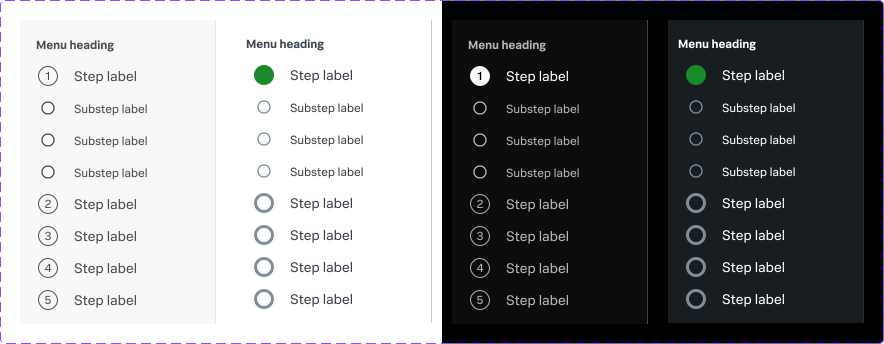
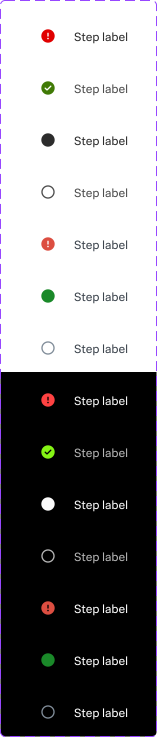
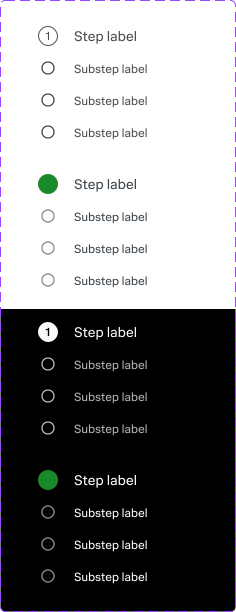
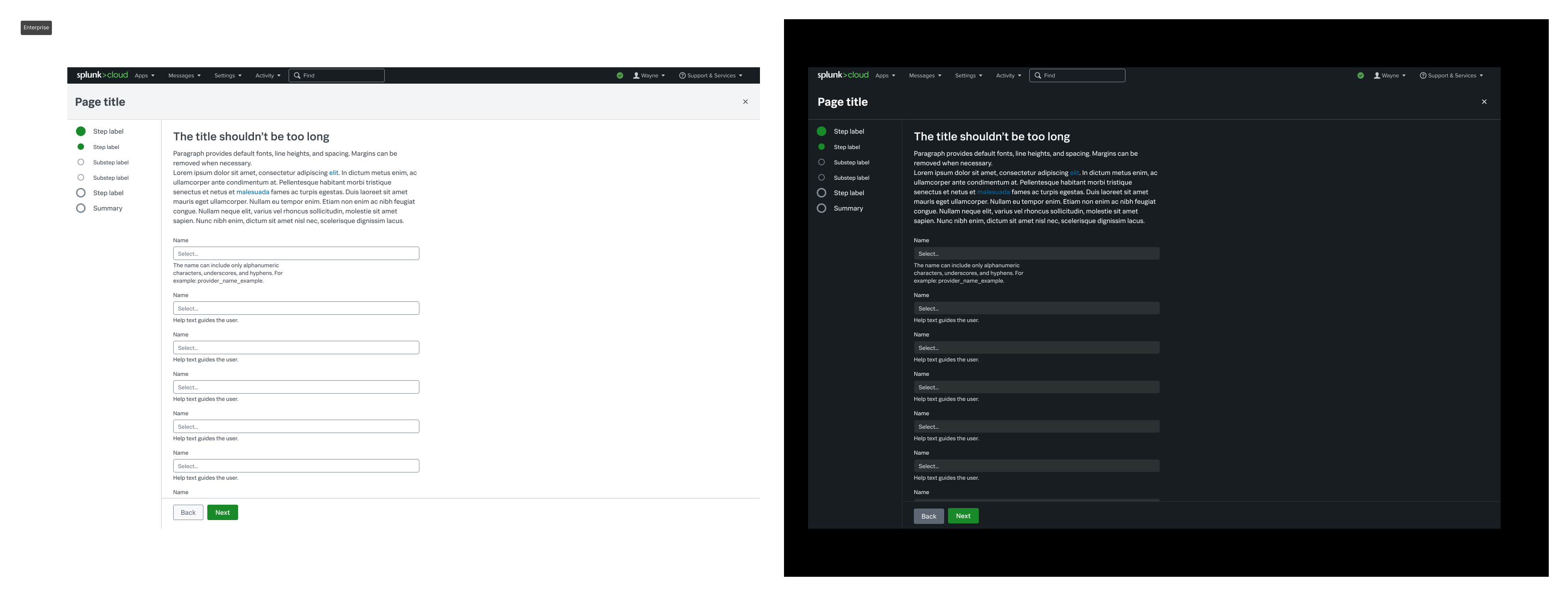
To accelerate the modernization process and promote consistency, I created a set of reusable components for one of our most common UX patterns: the wizard flow.
This pattern is used across many teams, and previously, each designer had to recreate it from scratch — often with inconsistent visuals, layout, or interaction details. By building a flexible, well-documented component library, I helped the team standardize the experience, reduce design debt, and ensure a cohesive user journey.
Final Thought
While the modernization effort is still in progress, my role has been to establish the foundation for scalable and consistent design.
I focused on organizing legacy UI into structured Figma files, aligning across product teams, and building reusable components for common patterns like the wizard flow — all with the goal of reducing friction and setting the stage for future growth.
One important learning was knowing when to hold back on creativity. In this context, my priority wasn’t inventing something new, but rather resolving uncertainties and reinforcing alignment with the design system so the team can move forward with clarity and confidence.